New this week
A lot happened this week. I updated the mini-map to feature doorways. In doing so, I connected the rooms and doorways to the gridding system. Created a boss health bar UI element which involved migrating most balance related enemy values into scriptable objects. And found a dialogue system and adapted it to work with my player controller systems.
This is also the first blog post that’s being shared on LinkedIn, I thought it might be a good idea post it there too.
Procedural Generation
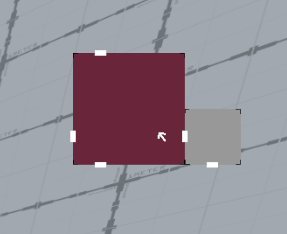
Doorways are now represented on the mini-map. When you enter a room its adjacent doorways appear on the map as well. To do this the doorway searches an in-world position 1 tile away from itself on both sides. Converts that number into a grid position and, if the adjacent grid position is part of a multiple grid spanning room, finds the source. Alongside this when a room is spawned the spawning system passes its source onto the gameobject.
When the player enters a room (the combat zone) an event is called that sends out that rooms grid information. The doorways are listening, and when they hear their adjacent room call, the mini-map doorway UI appears.
Now when it comes to 1×1 rooms this system worked on the first try. However, there were many issues multigrid rooms. On top of this, the boss room would cause greater issues like interfering with IDs. These took an annoying amount of time to fix but, inevitably, all problems were solved, and the mini-map system works perfectly now (minus some good UI appearance). Below is the map with doorways visible.
Dialogue
This section will be straightforward. A free asset called Dialogue Editor by Grasshop Dev was used. The most useful part of this asset was the visual node editor style window for creating dialogue trees. Implementing this system into the project was rather straightforward. I extended my pause function so that it can not pause the game but freeze user movement to reveal the cursor.
The character giving dialogue was the fellow in the hub. He essentially tells the player how to start the game, after a brief conversation with a little bit of the illusion of choice. Below is how the dialogue UI looks. This is essentially stock for the asset, but another strength of this asset is how easy it is to customise.
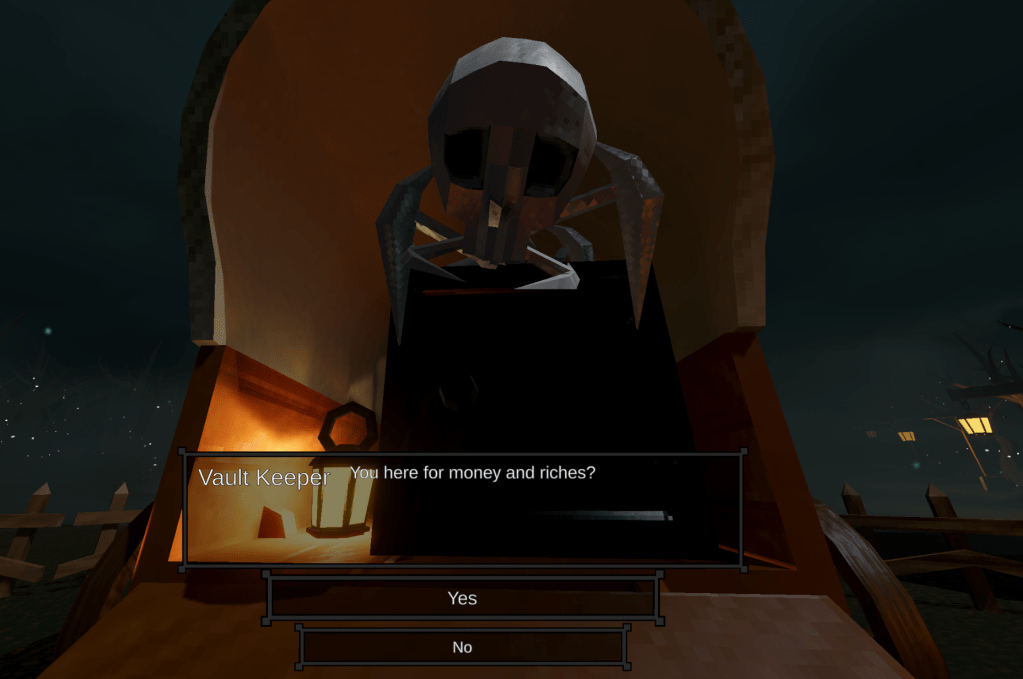
But this also raises the question, how does the player know to interact with him. My solution was to make him stare directly at the player while the player is nearby. The hub is a very static scene. The only thing that moves is the embers in the fire, so having a creature stare down the player from the start will promote a need for investigation. This system was built with unity’s rigging package using an aim constraint on the head bone that lerps the weight towards 1 when the player enters the trigger. This gives a smooth animation to look at the player rather than a snap.

Boss Health Bar
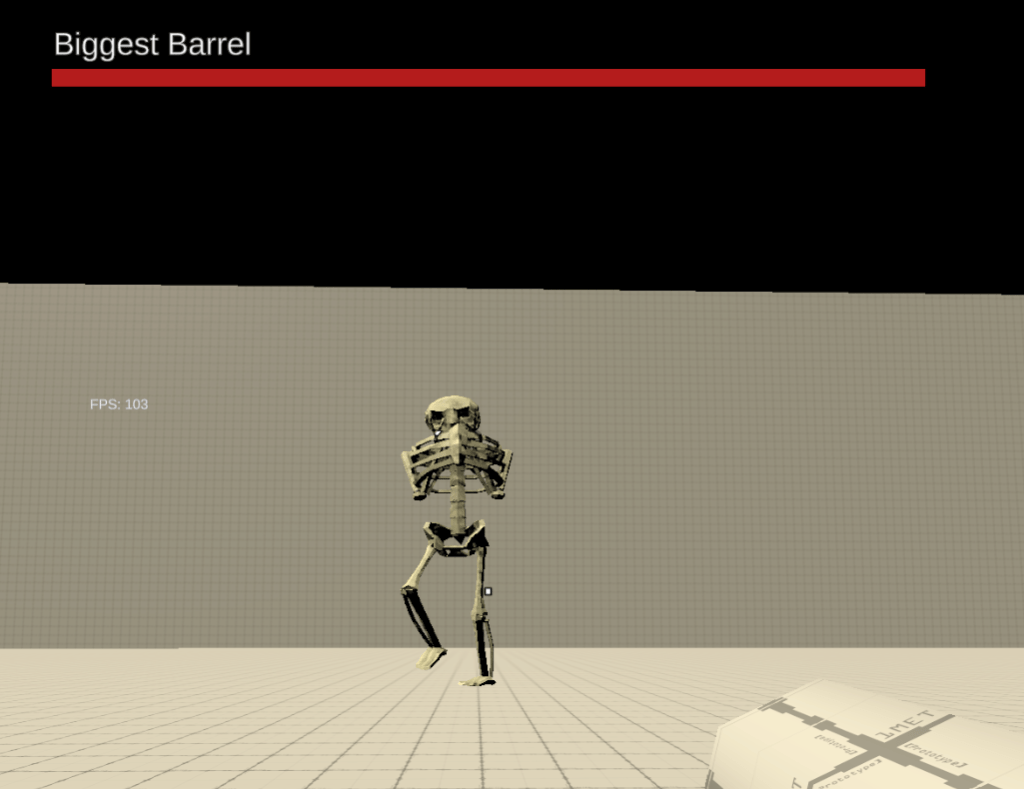
A simple prototype health bar was added. The UI element appears when a boss spawns and is independent of room architecture. This allows the easy creation of boss rooms as not much extra work needs to be done.
The bar itself uses the same percentage bar converter as the HUD elements but an extra variable is added to control whether the bar hides itself when the variable is 1. An event is used to control when the bar should update, passing through the raw health values so that the percentage is calculated on the HUD script. This was done in case I want to display the raw health as numbers. Variables such as the base walk speed, health and name of the enemies have been migrated to a scriptable object. This makes adjusting and balancing these values easier and gives a more straightforward path for the health bar to display the name.
Gold & Drops
A while back I wrote a gold manager, this script controls the equation for the acquisition of money. This week I remembered it existed and implemented it. An accompanying UI element has been added to display cash. When you kill an enemy, they will drop a pre-determined amount of gold which can be modified by items. This script also calculates the amount of money retained by the player upon the end of the run. On a failure only the “retention value” is retained, this would typically be a low percentage. On a victory the full amount + the retention value will be retained. Previously I discussed whether retention should be a useless stat on victory but determined having it be a bonus would be neater, and I prefer items to not punish victory.
Enemies have the potential to drop items upon death. They drop an item a set percent of the time and can use any type of item pool as their drop table. This means I could have an item pool of exclusively simple items if I wished. However, this would cause issues because I’d need to create a better tier picking system. The current system would fall apart if there were more or less tiers than the main pool. I haven’t found a good way to break 100% into different parts but I want to force a Boolean colour gradient to do it.
This system also allows different enemies to have different item drop chances which should open the possibility to implement rare enemies in the future.
Now that enemies can drop items, I’ve made it so the treasure chests have a solid chance of spawning a weapon. This just makes sense as weapons don’t spawn anywhere else.
Win & Loss
A win and loss condition was also added to the game. This is in the extremely early stages, however. Currently failure occurs when you die, and victory occurs the frame you kill the boss. These are both like this for testing purposes and are nowhere near final. Both these conditions print the final gold amount to the console (as there is no place for the permanent gold) and reverts the player’s items and weapons to the default upon entering the hub. This will be expanded upon in the future.
Handful of models
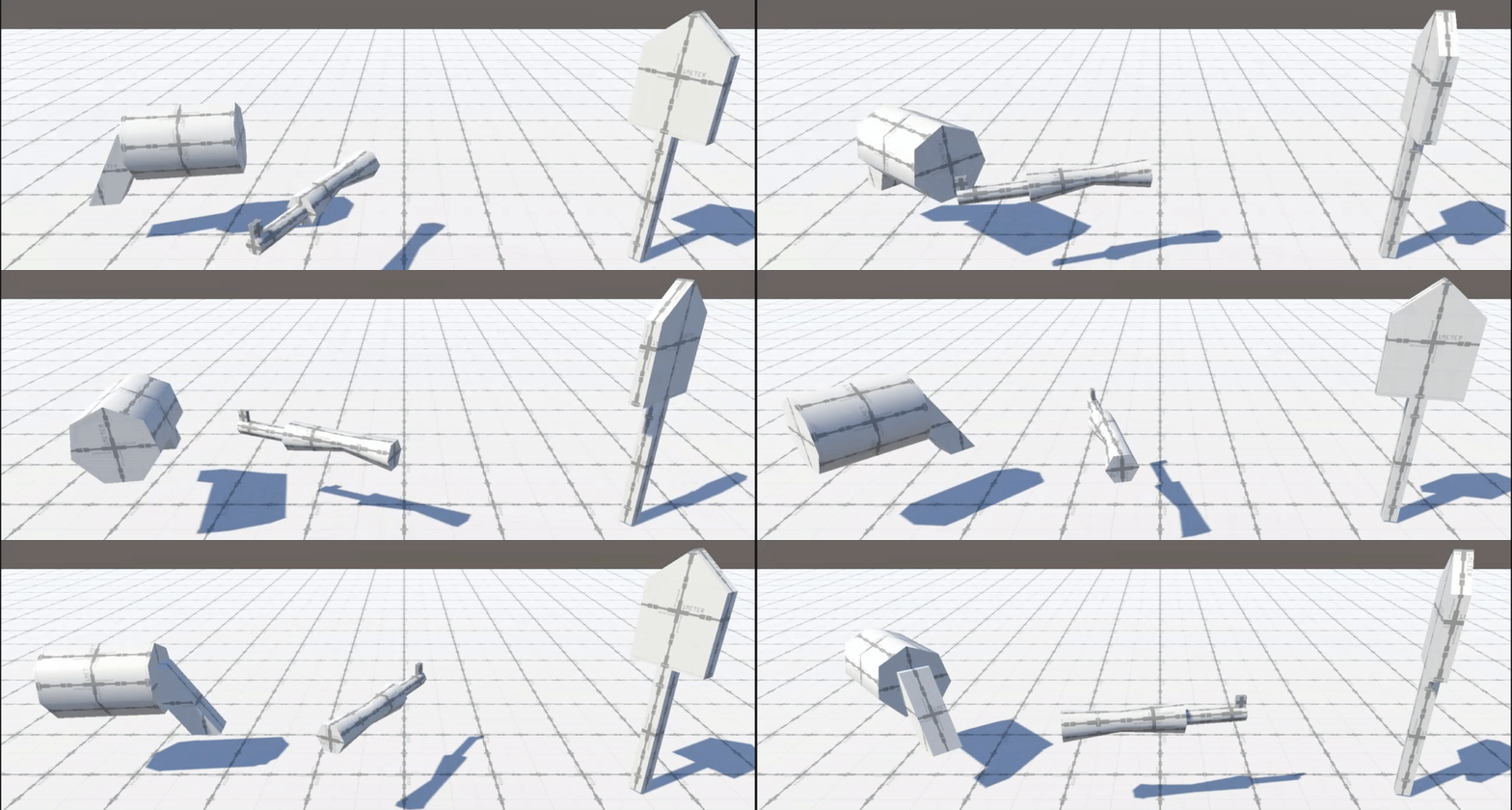
Previously all my items were represented by stretched circles. This is no more, now they are represented by hastily created pro-builder objects. This is just so its easier to tell the items apart. This also goes for the weapons which are also hastily created pro-builder objects.

Misc
I cleaned up a ton of weird code I ran into, fixed bugs and rebaked all the navmeshes because I changed the default navmesh size. Now enemies can crawl through spaces the player cannot, which was unintentional but somehow, thematic. So, I’m keeping it.
What’s Next?
For next week I’ll add some rudimentary animations to the melee weapon and, if there’s time, the others as well. This’ll just be really rough in-unity animation just so there is something and systems in place.
I’ll also better implement the win and loss conditions adding a place for permanent gold to go. This means adding a cross session storage. I have never played with a save/load mechanic but I suppose I can’t keep running from it especially since I want players to be able to change sensitivity before playtesting occurs.
As stretch goal or boredom filler goals I want to add glowing eyes to my enemies. Completely unnecessary but I’ve wanted to for a while and kept forgetting. There’s a charm to a soulless skull staring at your but I want to know what the alternatives look like.
As a super stretch goal I want a full level map, I imagine this’ll be very difficult, so I doubt it’ll occur this week.
 James Mitchell
Leave a comment