New this week
Quite a bit was completed this week. 10 new items were added. The first round of playtesting has been completed and changes were made in accordance with feedback. On top of this a permanent upgrade shop has been implemented and good progress was made towards and item shop.
New items
Of the 10 new items 3 of them have special effects and 7 are simple stat changes.
Below is a table of all the new items and their effects. The values themselves are subject to change based on feedback from future testing.
| Stat Changes | |
| Name | Effect |
| Frail Bones | +30% Haste (attack speed + reload speed) -25% Damage |
| Gold Necklace | +10% Gold Multiplier |
| Grease | -15% Dash cooldown |
| Holster | +1 Pocket (Weapon slots) |
| Ice Skates | +30% Air Acceleration |
| Lead Coat | -30% Movement speed +50 Max health |
| Web Cloak | -90 Max health -50% Dash Cooldown +50% Dash Speed +30% Damage |
| Special Effects | |
| Name | Effect |
| Frenzied Statue | +Damage on faster movement speed -Damage on slower movement speed |
| Patient Statue | +Damage on slower movement speed -Damage on faster movement speed |
| Adrenaline | On Kill: 10% Chance to heal 10 health |
The web cloak is an item that will definitely need a rework or other items it synergises well with. As it currently stands it is the only item that I would consider a 100% skip. I wanted it to be a sort of skill based dodge item but its benefits and gameplay don’t really reflect that.
The patient and frenzied statue in essence function the same as each other but opposite. Both use a linear function that sets the max intended damage at 0 or current max move speed respectively. Permanently upgrading or downgrading your speed changes what the max damage is and, in turn, changes the gradient and intercepts of the function.
Playtesting
A first round of playtesting was performed with critical bugfixes occurring between sessions. A majority of play testers were wholly inexperienced with the game development field which is optimal. First major thing playtesting turned up was the poor scaling of the UI. This was caused by poor element anchoring and an incorrect scale factor. For some accursed reason Unity UI’s default Canvas Scalar is set to Constant Pixel Size instead of Scale with screen size. This makes it so offsets that look good on 1 resolution may be off the screen on others. This was a simple fix, however tedious, as all it entailed was going through every UI Canvas, changing its scalar setting and checking every UI element to ensure it is anchored correctly.
The playtesting process used a standard method used throughout university and it involved the following. Subjects play through the game with the only instruction being “think out loud”. Minimal information is given from my side except for commenting on known bugs or unexplained mechanics that are planned to be explained.
The main goals of this playtest were to determine how intuitive the gameplay and controls were and how difficult or fun the game is. I worried about how intuitive starting the game would be so that I let the players go through completely blind. Of the two main players they both used completely different methods of discovering the start. The first didn’t initiate dialogue with the NPC but instead used context clues of the starting weapon being the shovel and chose to dig surrounding graves. They rather quickly found the starting grave.
The other initiated dialogue and quickly and efficiently followed its instructions and found the start.
Another moment of note was the treasure rooms. Both testers discovered a treasure room and determined the featureless grey box was important. Both quickly discovered how to open it. Much of the post test feedback was within expectation and much of it has been addressed already.
The main two points of concern for the game is how easy it is and how no one reads what the items do. This is expected as there is only 1 enemy and reading a moving UI during combat is difficult. The remedies to this will be discussed in further topics.
A thing to consider for the future is how to indicate which and how many weapons the player has. As I have given it thought but haven’t thought of any good solutions.
Enemy Changes
The one enemy has had a good amount changed. Most notably it has gained a charged attack. This charged attack is less choreographed that the others and because of that its damage is lower. However, this gives the AI an option to close the distance better. Another change was increasing the “Rough Chase” distance by 5-fold. This stat also determines the ability to fire projectiles. On larger rooms this means more projectiles are shot toward the player. On top of this enemies are more likely to converge on the player’s position if they remain idle.
The speed and damage on the projectile has also been upped due to its choreographed launch. Below is a gif of the new charged attack.

UI Changes
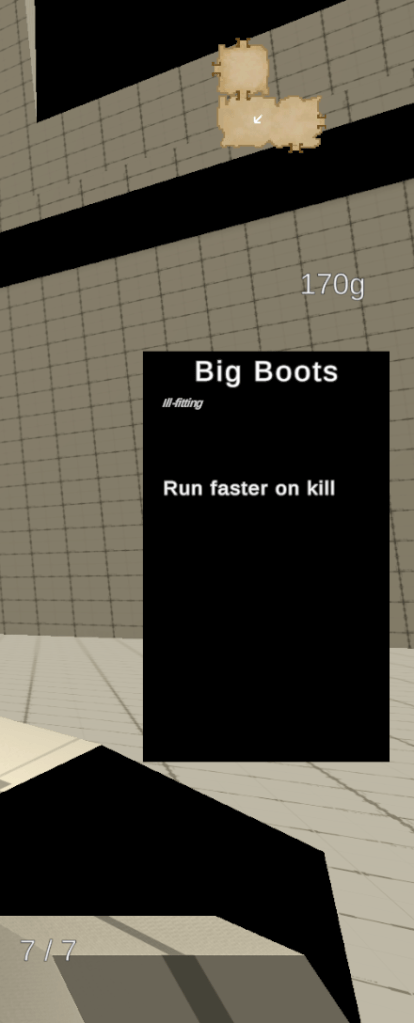
Due to people not reading items I have added a UI element that appears on screen when the player picks up an item. This element displays the name and effects of the item much like the floating in world UI. This is to help people have a double take of what they’ve just picked up in a fixed location.
On top of this the in-world UI has been changed to be able to be seen through walls. This change was made due to feedback.
Shops
A big thing added this week was the permanent upgrade shop. There are 2 items currently in this shop. One a single purchase and one a multi-leveled purchase. Both of these items are fully functioning within the game.
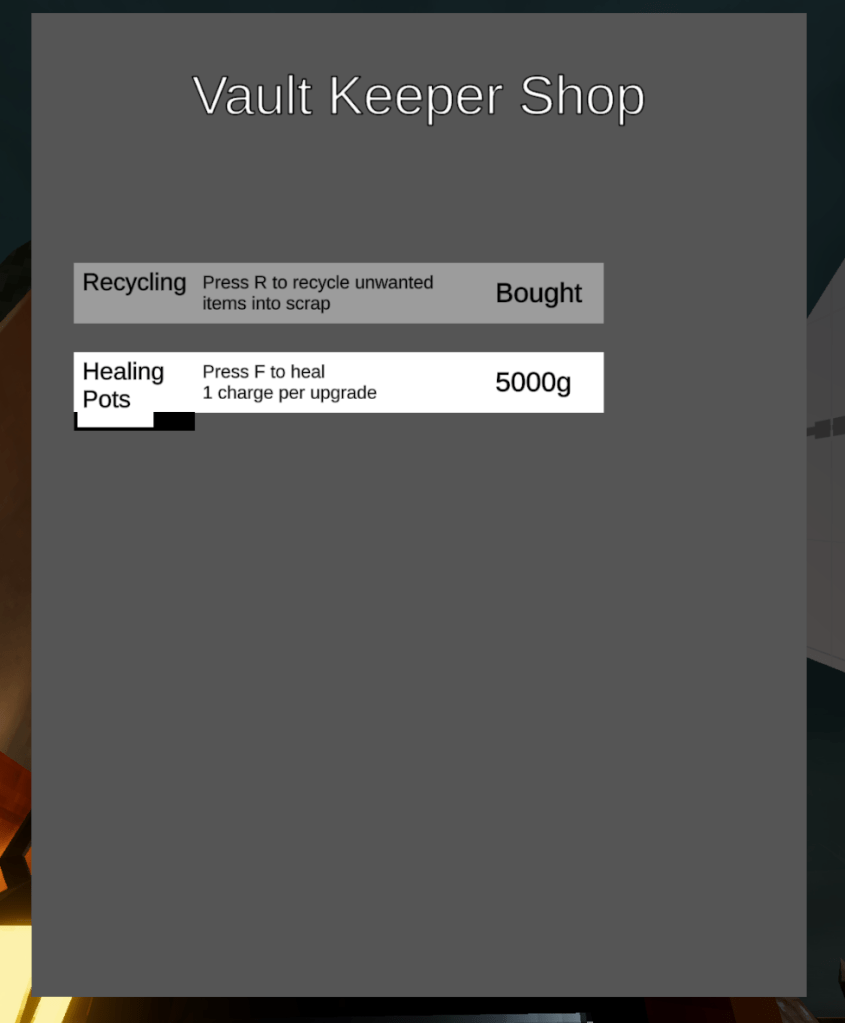
Both these items are critical to the overall gameplay loop and are fairly self-explanatory. Previously I planned on having recycling convert unwanted items to gold but I received the feedback that requiring the player to scrap items as part of the progression loop would be more interesting. I agree so I’m pivoting my design toward that path. Hat’s shop (WIP) will take both scrap and money to unlock new items as opposed to just gold.
This change has also forced me to reformat my structure pairings systems. Previously structures only had 2 states Available and Unavailable. But now they can have any number of states. This is because previously the plan was, when Hat entered the hub the shop would be immediately available. However, now the player is required to pay 5 item scrap to open the shop. This serves as a tutorial and roadblock in progression. On top of this scrap is now identified in the hub’s UI.
What’s next?
Next week I’ll implement actual sprites for some of my UI elements. Maybe even find a font to run as main. This will mark a good progression point for a second wave of playtesting. As a stretch goal I’d like to implement the Item Shop. Although I already have a scaffold for shop systems I believe I will need another data storage system other than PlayerPrefs. This may be a monumental task but that remains to be seen.
 James Mitchell
Leave a comment