New this week
This week I bit two separate bullets. I made a majority of the UI sprites that are used for menus and whatnot. Alongside this I had a friend help me make a more complex save/load system. PlayerPrefs can only take me so far especially when it comes to saving unlockable items.
More Items
Alongside these large changes are just a couple new random items.
4 more items have been added. 2 to be unlocked in the item shop, 2 added to the regular pool. I’ll break up the tables the same way as last week.
| Stat Changes | |
| Name | Effect |
| Polar Bear Liver | -20 Health +30% Damage |
| Shackles | -20% Haste +45% Damage |
| Special Effects | |
| Name | Effect |
| Laudanum | Move faster after being hit |
| Steel Feather | +10 health Reflect 1.5x melee damage back onto attacker |
UI art
Before we get to the actual art section I found a temporary font. Before I was using the default TMPro font. I grabbed a font called Kenney Mini which I acquired from a larger asset pack. This font is a very generic pixel font but features upper and lower case letters which is important. Eventually I’ll have to find a more thematically fitting font or create my own. This is low on the list of priorities though.
To make the UI art I implemented the same methods as the mini-map. The three main areas where the UI is apparent in the main menu, vault shop and hat store. Less apparent areas are item and weapon description backgrounds. The easiest way to demonstrate this is through a slideshow and I’ll go into detail afterwards.
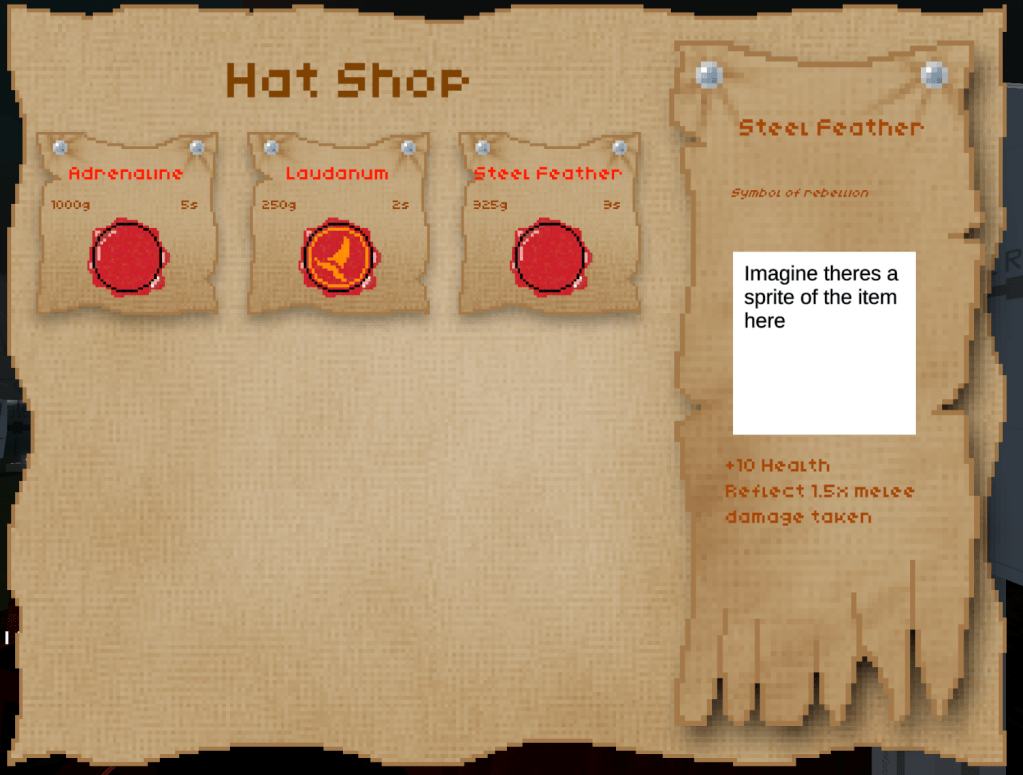
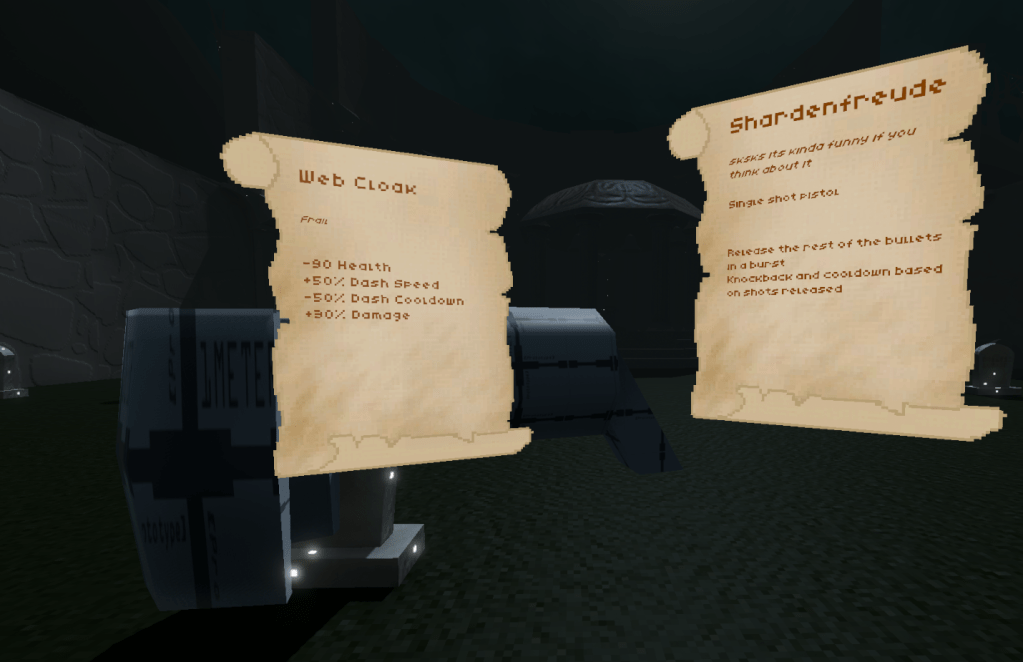
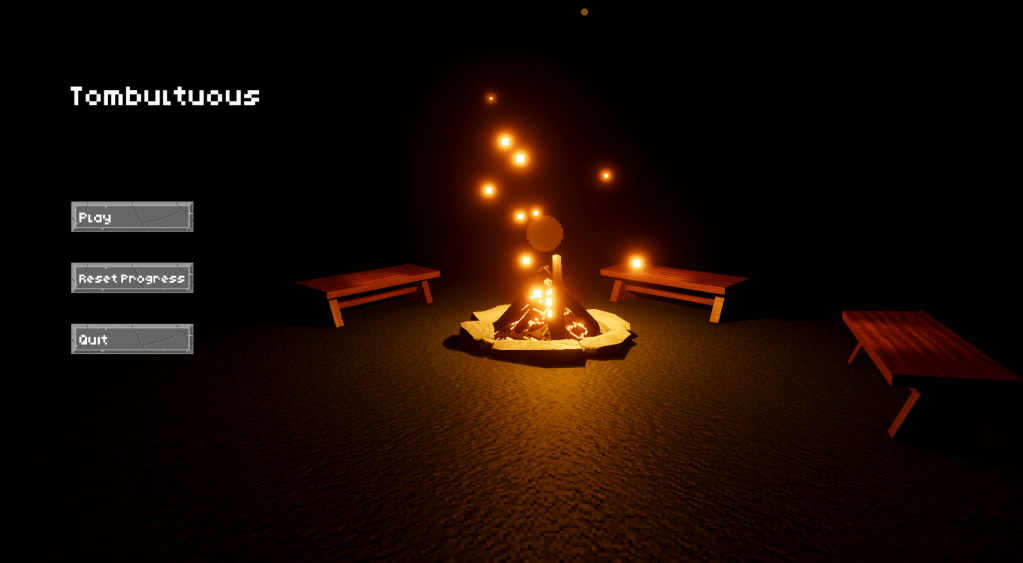

The Vault Shop and Item Descriptions are essentially identical to the prototype as sprites simply replaced. However, the item shop is a completely different beast. Clicking on an item brings up the side panel displaying its stats. To purchase an item the player must click on the wax seal. It’s not exactly how wax seals work but it feels so intuitive that I doubt people will get confused. I’m actually so happy with how the item shop UI turned out. I will need to tinker with the position of the pricing and incorporate the player’s current currency in the UI. With some testing I may change the colour of the text. The text is designed to look like old, faded ink, which it does, but it may be too hard to read for some players. But that remains to be seen.
Save Data
The items’ unlocked states are now controlled by a Json file. Only items whose states can change are saved here (i.e. Item Shop items). I don’t understand completely how the nitty gritty works as a brunt of the work is done by pre-written methods. But I believe it takes a Unity dictionary, converts it to a serializable pair and that gets written to the Json. The only thing I know for sure is what gets saved is an Item GUID and a state (true or false). The save data only saves unlocked items so maybe saving the state is redundant but it gives me flexibility if I want to re-work the system.
When loading the save-data the game loops through all items and changes those who are unlocked states to be true. This feels icky to me, but I’ve been assured its efficient. I’ve also been warned that the system has 2 sources of truth which is generally bad. But the two sources of truth make intuitive sense to me and help me design and swap stuff around really efficiently so I’m choosing to stick with it until it bites me. Currently the game only saves when purchasing an item or closing a menu.
The game only loads once at the beginning because scriptable objects remember their changes on a per session basis. Unlocking an item also bypasses the load by setting the scriptable object in that moment.
Something to keep an eye on is the item GUIDs. I’ve seen in the Git Diffs that sometimes the scriptable object will randomly be assigned a GUID. I don’t get this but it seems suspicious to me. I’ve written down the GUID of the important unlockable items and will occasionally check them to make sure they haven’t changed.
In progress – Prefab Light Baking
I’ve reached the part of the project I have been dreading. It’s finally time to convert all my probuilder geometry into baked meshes. So far I’ve only converted the walls into pre-defined generic meshes. This was honestly far less painful than I expected. I was dreading Z clipping on doorways and walls on the multigrid blocks. But apparently past me was also dreading it and was kind enough ensure that wouldn’t occur in the playable space. The only spaces Z Clipping occurs is on the outside corners of tiles which are invisible. This isn’t optimal but it sure beats having to make differently sized wall segments for every possible size.
I also created a prototype floor texture and discovered normal maps are scuffed. I haven’t noticed on any other objects but it really shines through on a tiled floor. The solution is rather simple as inverting the green-channel seems to fix it. This makes some sense as it could be a problem with OpenGL and DirectX normal maps. Unity is definitely OpenGL (probably), and I couldn’t find any information on Photoshop’s deprecated 3D settings. So assumedly its DirectX.
What’s Next?
Next week I’ll be in art jail. I’ll just fill out the geometry for the tiles I already have and try light baking. Along with this I may add a couple additional items because inspiration for those strike at random times.
 James Mitchell
Leave a comment